Sam Stephenson has a pretty looking bash prompt screenshotted in his rbenv project’s README. All you have to do is:
- Set your Terminal theme to Basic. Make sure to re-set any preferences you might have (like no audible bell etc).
- Set your Terminal font to 13pt Inconsolata. This isn’t the exact font he uses but it’s as close as I could find.
- Set your ANSI Color for Normal White(7) to Tin (Crayons tab in color picker)
- Put this bash code from this gist at the end of your .profile file.
- Install rbenv so you don’t get the errors I got below because I’m still on RVM. :)</p>
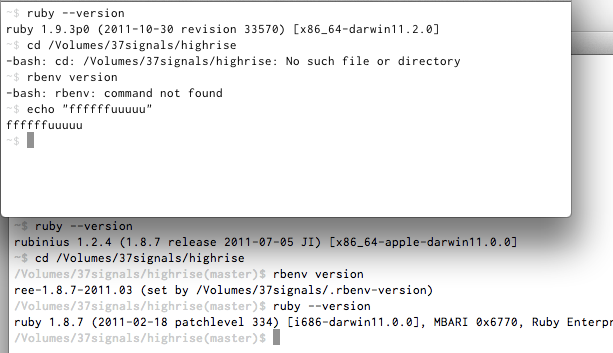
I covet, I steal.
Even though I don’t show it there, the bash script will do the git repo status magic for you on OSX. You need to brew install git and have the shell completion scripts in /usr/local (homebrew will do this).